How to Make a Photo Look Like a Painting in Photoshop
|

How to Make a Photo Look Like a Painting in Photoshop

Anything is possible with Adobe Photoshop software. One of the fantastic capabilities of the program is the ability to make your photos look like paintings. This article will show you how to make an image look similar to a painting in Photoshop. Photoshop contains many built-in filters, effects, and tools that will allow you to…
Three Easy Ways for How to Fill a Background in Photoshop
|

Three Easy Ways for How to Fill a Background in Photoshop

At some point or another, you will need to change Adobe Photoshop CS5’s default white background. Luckily, learning how to fill background in Photoshop is a simple process. Follow the steps in this tutorial to learn how to change the background color in Photoshop using solid fill layers and Content-Aware fill. We’ll also go over…

Step By Step: How to Change Background in Photoshop
|

Step By Step: How to Change Background in Photoshop

Photoshop altered the way that people edit their photos. With a plethora of tools at your disposal, design selections are practically unlimited. One common edit is to remove the background in Photoshop. The process has several steps. And while it might look complicated at first, learning how to change the background in Photoshop is easier…

Simple Editing: How to Blur Background in Photoshop
|

Simple Editing: How to Blur Background in Photoshop

A busy background can ruin a photograph. Fortunately, with Photoshop, it is possible to turn down the noise on a background and add a blur instead. When you do this, you give the subject the background it needs. You can also remove faces of strangers, entire crowds, brand names, or other unwanted or distracting elements…

How to Blur a Layer in Photoshop
|

How to Blur a Layer in Photoshop

When you want to add a soft focus to your crisp and clear image, you can use the blur layer option in Photoshop. For years, people have been using Photoshop to edit their photos to get their desired look. There are several blurring background effects that photogs can do to enhance the object in the…

Best Photoshop Plugins for Easier Editing
|

Best Photoshop Plugins for Easier Editing

When it comes to graphic design and photo editing, Adobe Photoshop is an impressive tool. Whether you’re a novice or an expert, it’s indispensable for manipulating designs and images. But sometimes, users may find that it comes up a bit short in certain areas—which is where the right third-party Photoshop plugin can be your greatest…

How to Copyright an Image or Photograph [Beginners Guide]
|

How to Copyright an Image or Photograph [Beginners Guide]

Knowing how to copyright a photo can save you a bit of time and money, but you must understand the process and the full implications. Not all images need copyright protection in the United States, but you’ll want to make sure you have legal recourse should someone use your images without permission. Copyright and Applications…

The Best Photoshop Alternatives for Editing
|

The Best Photoshop Alternatives for Editing

Any photographer who’s even just a little serious about their craft has likely toyed around with Photoshop here and there to enhance and edit their pictures. Adobe’s popular software comes equipped with tons of features that have proven both useful and even necessary in the photography industry.  However, there are tons of other paid and…

GIMP vs Photoshop: Which is the Best Photo Editing Program?
|

GIMP vs Photoshop: Which is the Best Photo Editing Program?

Photo editing is an essential aspect of photography. Through editing, you can take your work to the next level. However, you are probably wondering which editing software is the best. GIMP and Photoshop both give you the ability to edit your photos, but there are advantages and disadvantages to both software. So, here is a…

How to Use the Warp Tool in Photoshop
|

How to Use the Warp Tool in Photoshop

The warp tool in photoshop is a quick and easy way to make some small adjustments to your image using a simple click and drag method and a few control points. Adobe Photoshop is a powerful piece of software that allows you to transform an image for any use case, including adding rights reserved symbols…

How to Easily Use the Photoshop Patch Tool with Success
|

How to Easily Use the Photoshop Patch Tool with Success

If you’ve ever dealt with a damaged photo before, chances are that you have a little bit of experience with the Photoshop Patch Tool. As a “healing brush tool,” the Patch Tool can help you repair the damage, deal with blemishes, and let you get a little creative with retouching. The Patch Tool is especially…

How to Get a Photography Logo (and Why You Absolutely Need One)
|

How to Get a Photography Logo (and Why You Absolutely Need One)

Brand recognition is important for any size business, including a photography business. Self-employed photographers can create powerful brand identity with a photography logo. A simple photography logo can be designed by a photographer and used on social media posts, as a watermark on promotional photos, and on anything used for promoting the photographer or their…

8 Styled Photoshoot Ideas to Expand Your Portfolio and Develop Partnerships
|

8 Styled Photoshoot Ideas to Expand Your Portfolio and Develop Partnerships

Styled photoshoots can be a lot of fun, and you can get creative with your photography ideas. Unlike street photography or even landscape photography, photo sessions are planned, designed, and organized photography projects that can supply you with interesting material for your portfolio. They also help you find exciting collaborations both inside and outside of…

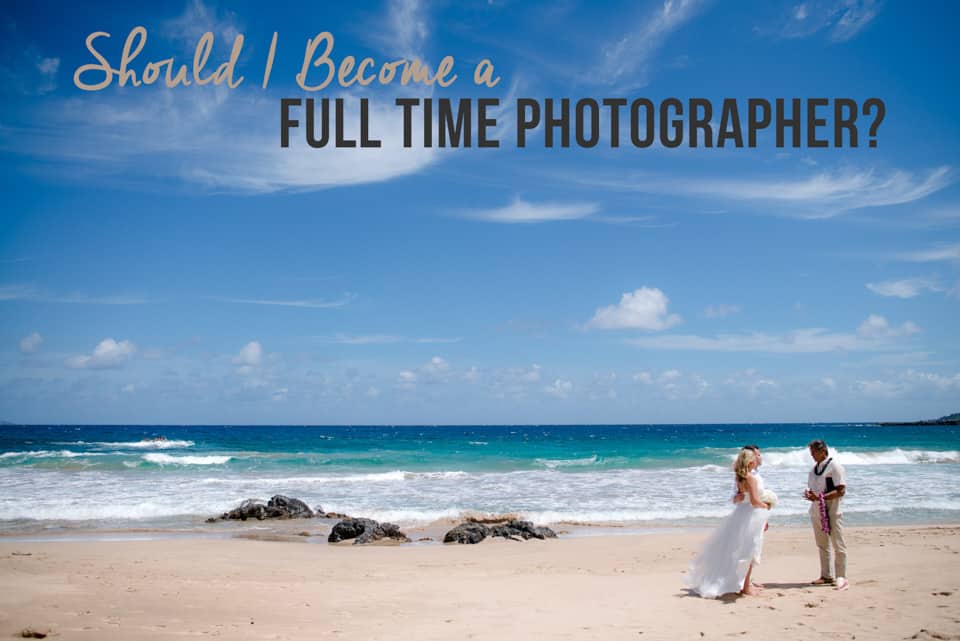
Should I Become a Full Time Photographer?
|

Should I Become a Full Time Photographer?

If you are anything like me, you started out taking photos of your family and friends and you really started to enjoy it and then you decided to make a big leap into starting an official business to further pursue your new-found passion on the side of your “day-job” to make some money while doing…

The Best Way to Find Your Ideal Clients
|

The Best Way to Find Your Ideal Clients

For most of us, when first starting our photography businesses, we aren’t too picky about exactly “who” our clients are.  Rightfully so, in the beginning, we are focused primarily on building our portfolio, gaining experience and making some money to help offset the costs of our new and often growing collection of equipment.  That’s totally…