How to Make a Photo Look Like a Painting in Photoshop
|

How to Make a Photo Look Like a Painting in Photoshop

Anything is possible with Adobe Photoshop software. One of the fantastic capabilities of the program is the ability to make your photos look like paintings. This article will show you how to make an image look similar to a painting in Photoshop. Photoshop contains many built-in filters, effects, and tools that will allow you to…

Three Easy Ways for How to Fill a Background in Photoshop
|

Three Easy Ways for How to Fill a Background in Photoshop

At some point or another, you will need to change Adobe Photoshop CS5’s default white background. Luckily, learning how to fill background in Photoshop is a simple process. Follow the steps in this tutorial to learn how to change the background color in Photoshop using solid fill layers and Content-Aware fill. We’ll also go over…

How to Duplicate a Photo in Lightroom
|

How to Duplicate a Photo in Lightroom

As you get started in Lightroom, many beginners wonder if you can copy an image. Maybe you want to test out some Develop Presets, or perhaps you want to compare two versions of a photo. Whatever the reason, you may have noticed that there seems to be no simple way to create an extra copy…

Step By Step: How to Change Background in Photoshop
|

Step By Step: How to Change Background in Photoshop

Photoshop altered the way that people edit their photos. With a plethora of tools at your disposal, design selections are practically unlimited. One common edit is to remove the background in Photoshop. The process has several steps. And while it might look complicated at first, learning how to change the background in Photoshop is easier…

Simple Editing: How to Blur Background in Photoshop
|

Simple Editing: How to Blur Background in Photoshop

A busy background can ruin a photograph. Fortunately, with Photoshop, it is possible to turn down the noise on a background and add a blur instead. When you do this, you give the subject the background it needs. You can also remove faces of strangers, entire crowds, brand names, or other unwanted or distracting elements…

How to Blur a Layer in Photoshop
|

How to Blur a Layer in Photoshop

When you want to add a soft focus to your crisp and clear image, you can use the blur layer option in Photoshop. For years, people have been using Photoshop to edit their photos to get their desired look. There are several blurring background effects that photogs can do to enhance the object in the…

Best Photoshop Plugins for Easier Editing
|

Best Photoshop Plugins for Easier Editing

When it comes to graphic design and photo editing, Adobe Photoshop is an impressive tool. Whether you’re a novice or an expert, it’s indispensable for manipulating designs and images. But sometimes, users may find that it comes up a bit short in certain areas—which is where the right third-party Photoshop plugin can be your greatest…

Editing for Photographers: Best Lightroom Alternative
|

Editing for Photographers: Best Lightroom Alternative

Adobe Lightroom is a versatile tool for photographers of all skill levels, but it’s not exceptional at everything. Some programs perform better in some capacities and can improve your workflow when used in conjunction with Lightroom or other photo editing software.  Let’s take a look at some of the best Lightroom alternatives. Best Lightroom Alternatives…

The Best Photoshop Alternatives for Editing
|

The Best Photoshop Alternatives for Editing

Any photographer who’s even just a little serious about their craft has likely toyed around with Photoshop here and there to enhance and edit their pictures. Adobe’s popular software comes equipped with tons of features that have proven both useful and even necessary in the photography industry.  However, there are tons of other paid and…

Darktable vs. Lightroom: The Battle of Editing Software
|

Darktable vs. Lightroom: The Battle of Editing Software

Introducing Adobe Lightroom: Everything To Know Adobe Lightroom is more than just a photo editor. It’s a family of tools designed to use across a variety of platforms — Windows, iOS, macOS, among others — to save, organize, share, and manipulate your entire photo collection. It blends the basics of a image editor with a…

GIMP vs Photoshop: Which is the Best Photo Editing Program?
|

GIMP vs Photoshop: Which is the Best Photo Editing Program?

Photo editing is an essential aspect of photography. Through editing, you can take your work to the next level. However, you are probably wondering which editing software is the best. GIMP and Photoshop both give you the ability to edit your photos, but there are advantages and disadvantages to both software. So, here is a…

Free Lightroom Presets – 15 Must Have Lightroom Presets!
|

Free Lightroom Presets – 15 Must Have Lightroom Presets!

Join 159,316 others & grab my FREE Lightroom Presets, to give your photos a variety of rad new looks, let you edit photos (waaaaay) faster and more efficiently, and turn clients into raving fans! “I recently spent a ridiculous amount of money on “decent,” presets. I absolutely love yours and they were free. Thank you so much!” -Dana H….

How to Use the Warp Tool in Photoshop
|

How to Use the Warp Tool in Photoshop

The warp tool in photoshop is a quick and easy way to make some small adjustments to your image using a simple click and drag method and a few control points. Adobe Photoshop is a powerful piece of software that allows you to transform an image for any use case, including adding rights reserved symbols…

What is the Difference Between Capture One Vs Lightroom?
|

What is the Difference Between Capture One Vs Lightroom?

Adobe Lightroom and Capture One are two popular software options for professional photographers. These editing programs are must-have tools to create quality photographs, and investing in one of these software solutions will help you take your photography to the next level. You might be wondering whether you should invest in Capture One or Lightroom. We…

How to Easily Use the Photoshop Patch Tool with Success
|

How to Easily Use the Photoshop Patch Tool with Success

If you’ve ever dealt with a damaged photo before, chances are that you have a little bit of experience with the Photoshop Patch Tool. As a “healing brush tool,” the Patch Tool can help you repair the damage, deal with blemishes, and let you get a little creative with retouching. The Patch Tool is especially…

Lightroom vs Photoshop – Which Do You Need?
|

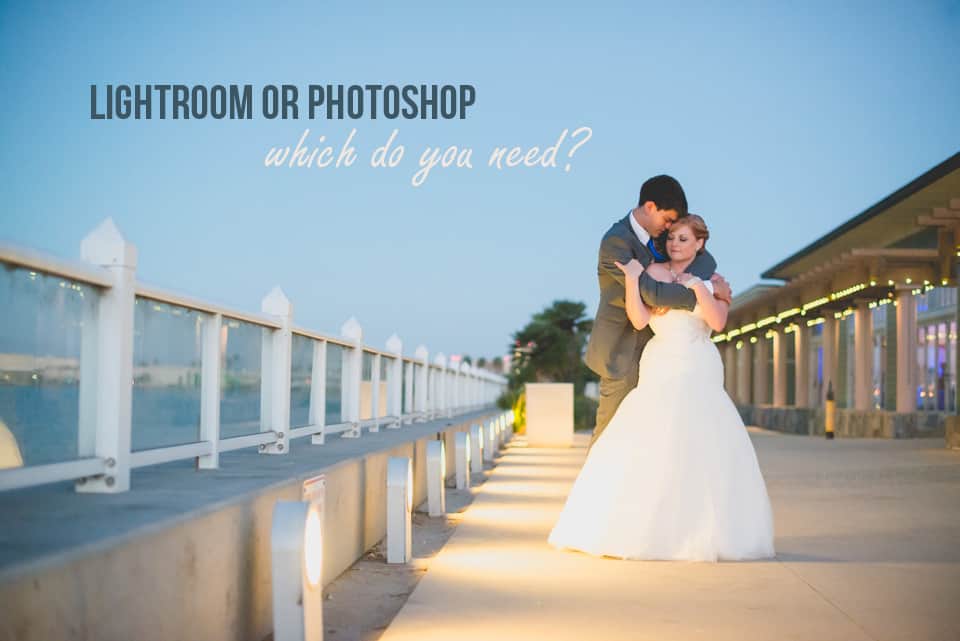
Lightroom vs Photoshop – Which Do You Need?

If you are serious about digital photography, at some point you will find yourself needing to edit your images. There are many photo editing software out on the market, but the two most popular are Photoshop and Lightroom. They’re both made by Adobe and have a lot of similarities, so you may find yourself wondering…