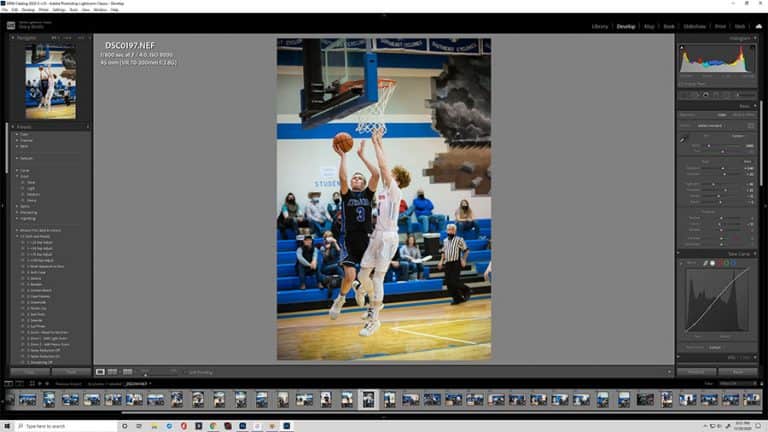

Volume Sports Photography: Solutions for Online Print Sales
|

Volume Sports Photography: Solutions for Online Print Sales

For years, printed forms and checks were the standard for volume photography ordering.  And while those options are still relevant and useful in many situations, more photographers are taking their ordering online.  There are several different ways to facilitate online ordering, from the simple and free to the specialized and complex.  In this article, we’ll…
What is a CR2 File and How to Convert It
|

What is a CR2 File and How to Convert It

Canon is a leader in digital imaging, with top-of-the-line cameras used by photographers around the world. However, not all graphic artists are unfamiliar with Canon’s file extensions. Many find themselves asking the question: What is a CR2 file? This article will cover the basics of a CR2 file, how to open an image, and how…

How to Use the Pen Tool in Photoshop
|

How to Use the Pen Tool in Photoshop

Photoshop is primarily a pixel-manipulation tool. Nevertheless, it includes certain vector elements more commonly associated with programs such as Illustrator, saving them as paths that can be used in a number of helpful ways. One of the primary ways this is accomplished is by employing the pen tool. This tool is one of the best…

What is 300 DPI in Pixels per Inch?
|

What is 300 DPI in Pixels per Inch?

Image quality is one of the most important factors of photography and digital design. While images often appear perfect on-screen, images can come out grainy when printed. This is an issue many people face, and it has everything to do with the image resolution and the number of pixels per 1 inch in the image. …

How to Resize an Image in Photoshop Without Losing Quality
|

How to Resize an Image in Photoshop Without Losing Quality

Resizing an image using Adobe Photoshop is a relatively straightforward process. However, if you’re new to editing images, there is a bit of a learning curve. It is important to understand the fundamentals of how to change an image’s size in Photoshop without losing quality.  Maintaining the original image’s quality can prove challenging. Resized photos…

How to Seamlessly Select Hair in Photoshop
|

How to Seamlessly Select Hair in Photoshop

Photoshop is a fantastic tool for many purposes, such as editing wedding photos or creating graphics for logos and other marketing materials. Another everyday use of Photoshop is editing people onto different backgrounds, but hair makes this extremely difficult. It’s wispy and has hundreds of intricate pixels that need to be fit inside a single…

Create Your First Sports Photography Price List
|

Create Your First Sports Photography Price List

You’ve lined up your first sports league to take photos of and you couldn’t be more excited.  You love sports.  You love photography.  Combining the two into a job that earns money seems like a dream come true, right?  The only problem is, you really don’t know how or where to start to create a…

How to Easily Make Eyes Pop in Photoshop
|

How to Easily Make Eyes Pop in Photoshop

Have you ever seen a photo that makes you instantly jealous of the model’s eyes? Well, believe it or not, most of this is due to post-processing using eye Photoshop – and it’s effortless to do yourself! If you’re wondering how to make eyes pop in photoshop eye, we’ll teach you how to do just…

Client Experience Workflows – Create Relationships that Last
|

Client Experience Workflows – Create Relationships that Last

Giving clients a great experience doesn’t have to mean lavishing them with expensive gifts or spending oodles of money.  But with some planning, time, and effort, you can craft a client experience workflow to create an overall customer experience that wows! Learn: What a relational client experience looks like and how it benefits your business….

Find Your Focus Podcast: Episode 36
|

Find Your Focus Podcast: Episode 36

2000 Sessions. 12 Months. 1 Photographer — with Sarah Witherington Episode 36: Show Notes. After working several jobs to stay afloat, Sarah Witherington burst into the photography scene with her first Groupon gig which earned her 2,000 clients. Today, we sit down with Sarah to discuss her journey as a photographer, beginning with how she…

How to Easily Delete a Lightroom Catalog
|

How to Easily Delete a Lightroom Catalog

Before we learn how to delete a Lightroom catalog, let’s address one crucial question. What is a catalog in Lightroom? A Lightroom catalog is the location responsible for housing your Lightroom photos. It also stores image previews and other essential information. Your Lightroom catalog is usually on your hard drive. But you can choose to…

Want to Know the Best DSLR Cameras for Beginners?
|

Want to Know the Best DSLR Cameras for Beginners?

From Canon to Nikon and everything in between, tons of DSLR cameras are excellent for beginners. Knowing which one to choose can be the most challenging part of starting a new photography hobby.  To make the process a little easier, we’ve gathered a list of the best DSLR cameras for beginners. We’ll briefly go over…

Find Your Focus Podcast: Episode 35
|

Find Your Focus Podcast: Episode 35

How to Use Pinterest to Book Clients and Grow Your Photography Business with Sharee Davenport Episode 35: Show Notes. Creating a profitable photography business can be a challenging task, but what if there was a way you could achieve your five-year plan in just one? Wedding photographer and Pinterest expert Sharee Davenport did just that….

How to Apply Presets to Multiple Photos in Lightroom
| |

How to Apply Presets to Multiple Photos in Lightroom

  How to Apply Presets to Multiple Photos in Lightroom Adobe Lightroom is one powerful piece of editing software.  It can speed up your workflow and helps you turn photos into true works of art.  But making changes to each photo individually can be a huge time suck.  Presets, or groups of changes, makes editing faster. …