Darktable vs. Lightroom: The Battle of Editing Software
|

Darktable vs. Lightroom: The Battle of Editing Software

Introducing Adobe Lightroom: Everything To Know Adobe Lightroom is more than just a photo editor. It’s a family of tools designed to use across a variety of platforms — Windows, iOS, macOS, among others — to save, organize, share, and manipulate your entire photo collection. It blends the basics of a image editor with a…
Free Lightroom Presets – 15 Must Have Lightroom Presets!
|

Free Lightroom Presets – 15 Must Have Lightroom Presets!

Join 159,316 others & grab my FREE Lightroom Presets, to give your photos a variety of rad new looks, let you edit photos (waaaaay) faster and more efficiently, and turn clients into raving fans! “I recently spent a ridiculous amount of money on “decent,” presets. I absolutely love yours and they were free. Thank you so much!” -Dana H….

What is the Difference Between Capture One Vs Lightroom?
|

What is the Difference Between Capture One Vs Lightroom?

Adobe Lightroom and Capture One are two popular software options for professional photographers. These editing programs are must-have tools to create quality photographs, and investing in one of these software solutions will help you take your photography to the next level. You might be wondering whether you should invest in Capture One or Lightroom. We…

Lightroom vs Photoshop – Which Do You Need?
|

Lightroom vs Photoshop – Which Do You Need?

If you are serious about digital photography, at some point you will find yourself needing to edit your images. There are many photo editing software out on the market, but the two most popular are Photoshop and Lightroom. They’re both made by Adobe and have a lot of similarities, so you may find yourself wondering…

Finding and Relinking Missing Lightroom Photos: Crisis Averted
|

Finding and Relinking Missing Lightroom Photos: Crisis Averted

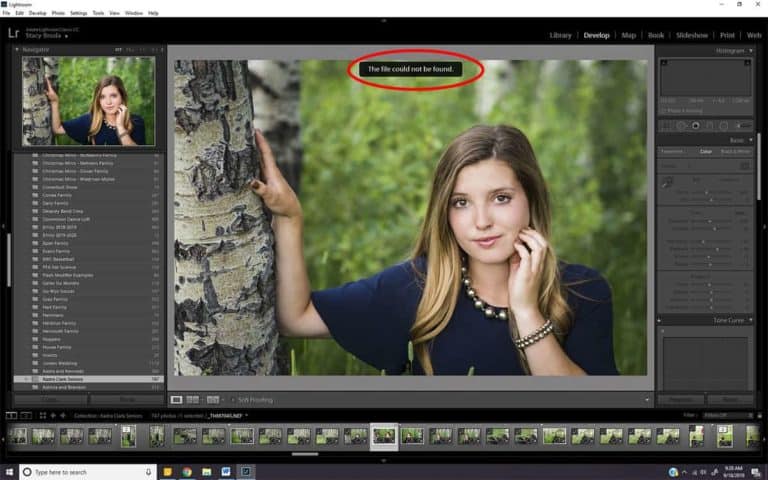
Don’t panic.  Your images probably aren’t really gone, they are just missing from Lightroom. It’s happened to just about all of us at one point.  We open Lightroom, start scrolling through our images and we get it.  The dreaded punctuation of despair.  That little symbol in the upper right-hand corner of our images (exclamation mark)…

Lightroom vs Lightroom Classic: Which version is your champion?
|

Lightroom vs Lightroom Classic: Which version is your champion?

Lightroom Classic or Lightroom CC. What’s the difference and which one do I want for my photo editing needs? Learning photography can be confusing.  So can learning editing. And now to further muddy these new waters, Adobe offers two new versions of Lightroom. And in a fun twist when it comes to versions of Lightroom,…

The ABCs of School Photography
|

The ABCs of School Photography

Go to the head of the class with school photography jobs School photography isn’t for the faint of heart.  It’s chaotic and hectic and requires a great deal of planning and organization.  But if you enjoy working with kids and have the organizational skills, it can be a fun and lucrative part of your photography…

How to Organize Pictures: 4 Workflow Methods for Photographers
|

How to Organize Pictures: 4 Workflow Methods for Photographers

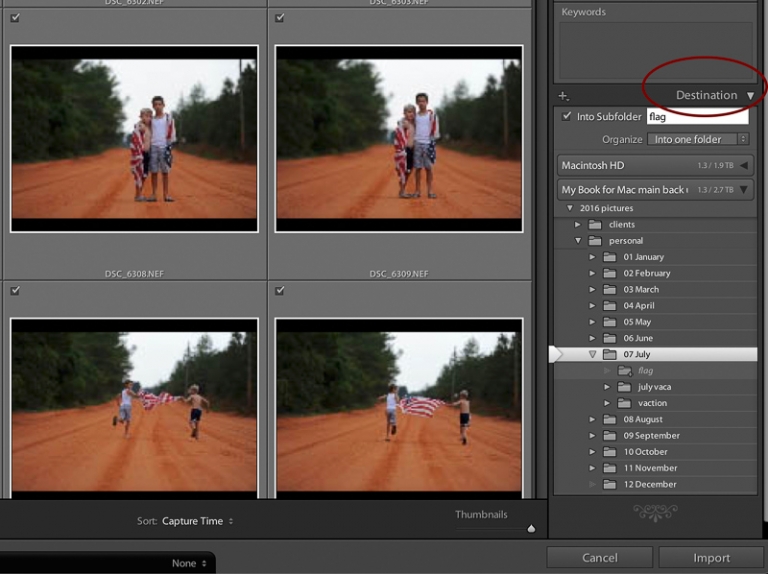
Get your act together to organize pictures now using one of these four methods and save time and frustration down the road. A local business calls and asks if you have some images they could use in an advertisement.  They’ve seen your work and are interested in a beautiful sunset shot on the river from…

Best Photography Apps for Android and iPhone: Personal Assistant Edition
|

Best Photography Apps for Android and iPhone: Personal Assistant Edition

How do professional photographers keep everything organized? Between the appointments, advertising, social media sharing, and accounting there is so much to keep track of. Luckily we’ve compiled a list of the best photography apps out there to keep you organized AND provide you with helpful information when planning your shoots. What apps do professional photographers…

Best Photo Apps for Android and iPhone: Photo Editing Edition
|

Best Photo Apps for Android and iPhone: Photo Editing Edition

Do you have some free time away from home and wish you could edit some photos on your computer? We’ve got great news! There are a plethora of mobile apps available to edit on the go. We’ve compiled a list of the best photo apps available to photographers on Android and iPhone. No computers needed….

Lightroom Presets for Fashion Bloggers: The What, Where and Why!
|

Lightroom Presets for Fashion Bloggers: The What, Where and Why!

Put your best foot forward with Lightroom Presets for Fashion Bloggers! If you’re a professional photographer, Lightroom Presets are part of your everyday vernacular.  But if you’re a fashion blogger first and photographer second, the Adobe Lightroom software and its tools, known as presets, might be a foreign concept.  This article will break down the…

Lightroom Presets vs. Photoshop Actions: Which is better?
|

Lightroom Presets vs. Photoshop Actions: Which is better?

Have you been wondering if Lightroom Presets and Photoshop Actions could help you with your workflow? Here is a helpful overview to give you some insight into the two options. When it comes to photography image editing, Lightroom and Photoshop are the go-to choices for professionals in the photography industry. Each program supports post-production workflow…

5 Easy Steps for Organizing Your Lightroom Catalogue
|

5 Easy Steps for Organizing Your Lightroom Catalogue

Nothing feels better than being organized! When you have a place for everything, and put things where they belong it frees up your mind to focus on other things. At least, this is my philosophy when it comes to organizing my photos. You won’t believe how much organizing your Lightroom catalogue will improve your workflow!…

Choosing Images for a Client Gallery in Lightroom
|

Choosing Images for a Client Gallery in Lightroom

Culling a session can be one of the toughest things to master.  It’s always so hard after a session; you get home, unload the card, and marvel at all the gems you have. And, if you are like many photographers you have taken WAY too many photos. There are 200 shots that you need to…