Congrats on purchasing our brand new Photoshop Actions – The Uptown Collection! If you’ve never used Photoshop much you might be a little intimated but as you will see in this quick tutorial, you have nothing to worry about, installing & using these Photoshop actions are actually quite easy!
How to Install Your Photoshop Actions
The fastest way:
Double click on the actions (the .atn file) once you have downloaded them. They will automatically load into the actions pallet in Photoshop.
** Note: Sometimes when you restart your computer the actions may disappear when choosing this install method **
Looking to improve your photography?
Just enter any questions you have about improving your photography below and hit send and get answers & feedback instantly - for FREE!
Submit Questions
The more reliable and better method
After downloading, save your actions to an easy to find folder
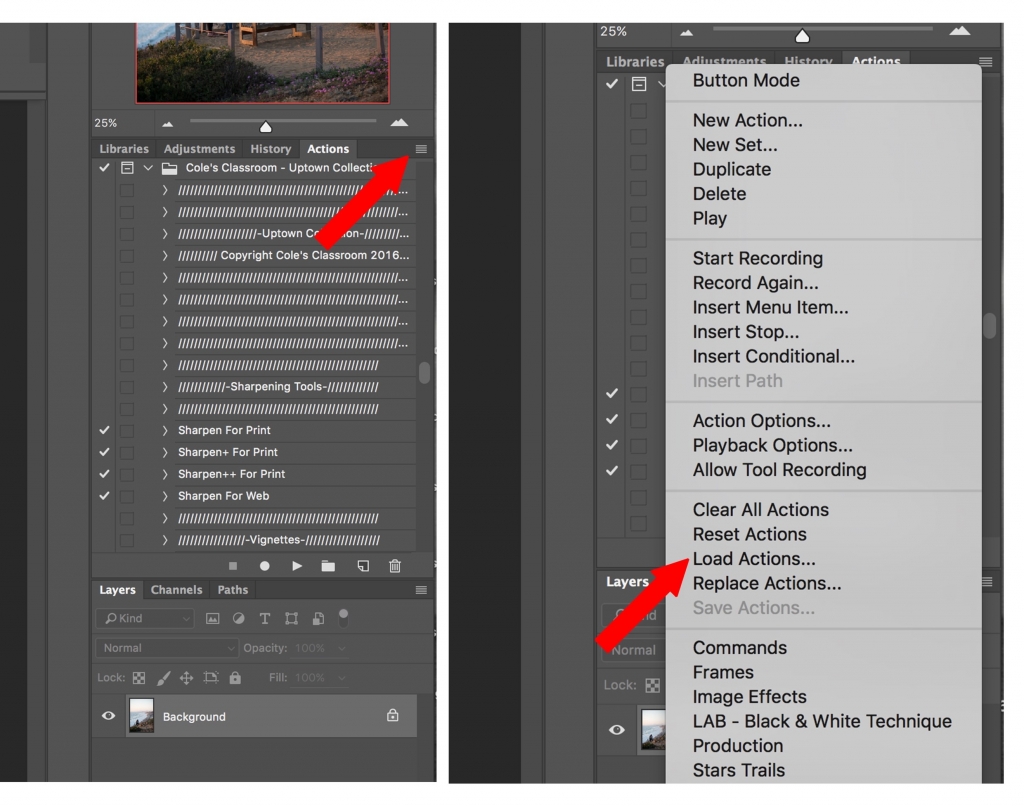
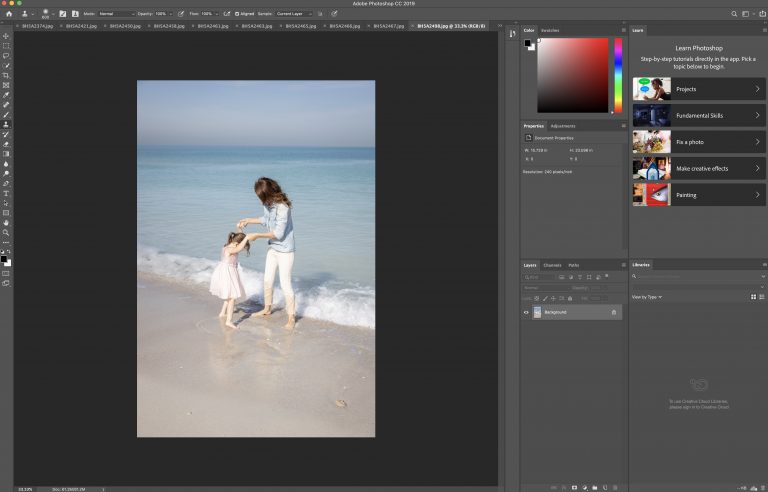
Open Photoshop and and go to the actions palette *Note: if you don’t see your actions palette go to window and click “actions” in the dropdown menu*
Click the actions palette menu button on the top right corner of the actions palette
From the menu select “Load Actions”
Select the actions inside the folder where you saved them ( file ending in .atn)
Click open and the actions will load into the actions palette
Your actions will remain loaded in the actions pallet unless you delete the original folder where you saved the actions
Watch this Quick Video Tutorial Showing How to Install Photoshop Actions
New to Photoshop? Make Sure to Watch this Video with Me Walking You Through How to Use the Photoshop Actions!
Cole here for one minute before I turn it over… this tutorial was created by one of our “classmates” our wildly popular Facebook photography community, if you aren’t already a member, you can join us for free right here. Christian was nice enough to share his final photo in the group and the response to…
Using the batch resize Photoshop feature, you can set resize photos images to a uniform size for printing and layout. Here’s how to do it. (These instructions are only for Photoshop. Other image processors may have the same capabilities to resize multiple images, but will require different instructions.) 1. Ensure Your Files are the Right…
Canon is a leader in digital imaging, with top-of-the-line cameras used by photographers around the world. However, not all graphic artists are unfamiliar with Canon’s file extensions. Many find themselves asking the question: What is a CR2 file? This article will cover the basics of a CR2 file, how to open an image, and how…
The human eye can capture an impressive range of nuances, colors, lights, and shadows. Even though digital cameras can yield amazing results, auto exposure often covers a limited tonal range and can make some areas look too light or too dark. To fix this, you can use bracketing. Photo by wiggijo licensed under CC0 What…
Often, the silky skin that we see in adverts and magazines isn’t completely natural. Many photos that you see have been touched up to make the skin appear more even, softer, and younger. Digital editing can help to get rid of unwanted features such as wrinkles and blemishes while also improving color. While skin softening…
Selecting objects is one of the first skills that both Photoshop hobbyists and professionals learn. You can crop, cut, and paste images within a photograph or picture to create a brand new work of art. However, it can be a challenge to select objects with an elaborate border, such as a head full of hair,…